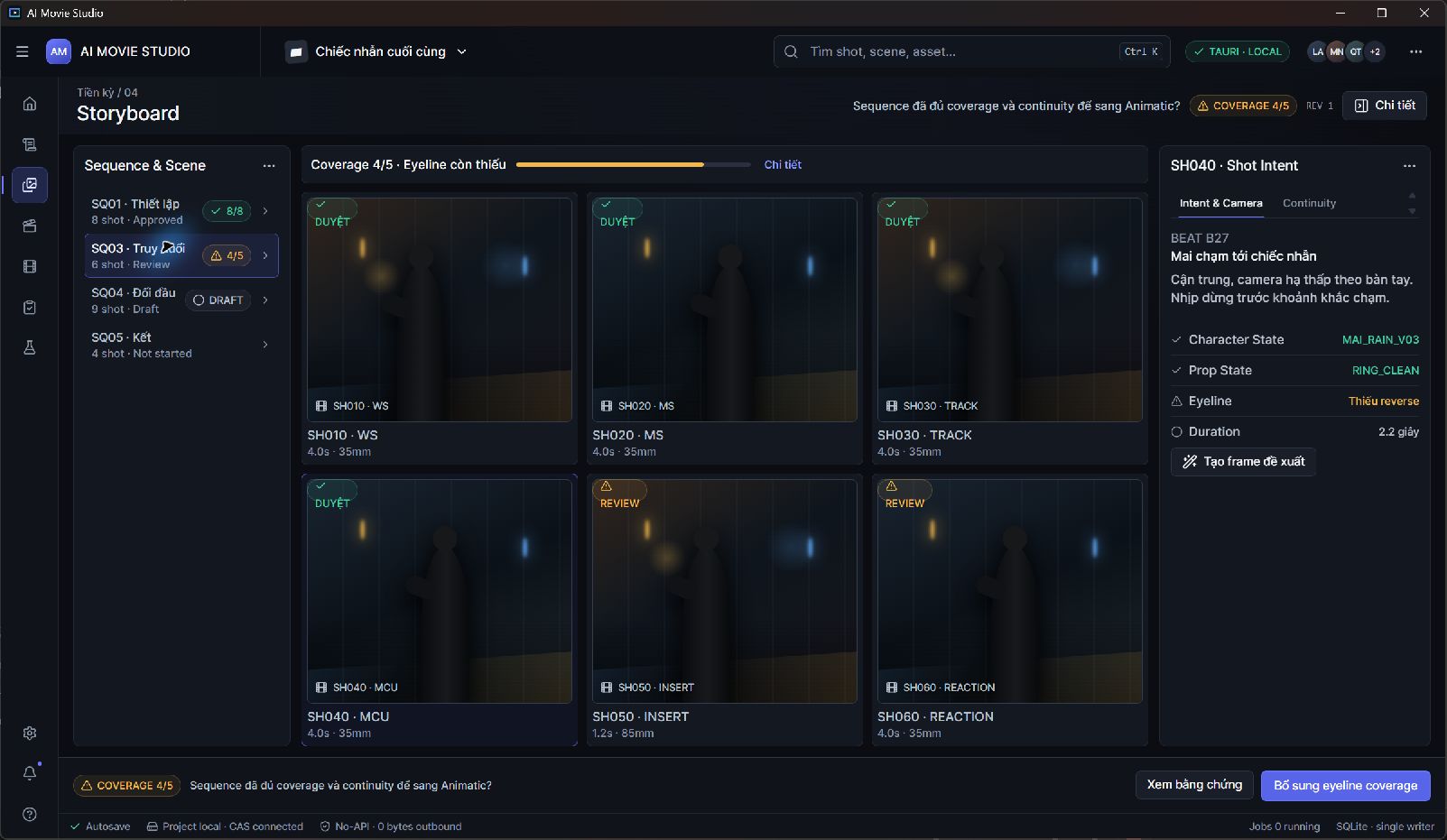
 APPLICATION SCREENSHOT
Film production
AI Movie Studio
A desktop workspace for planning AI-assisted films. Develop scripts, organize characters and worlds, review storyboards, and manage the work behind each shot.
Explore the productPlan scenes with specialized AI agents. Produce narration. Translate subtitles with context. Three desktop tools built around the work of creative teams.
Using DDC tools in their internal workflows.
See the actual interfaces, understand the workflow and find the product that matches your project.
APPLICATION SCREENSHOTA desktop workspace for planning AI-assisted films. Develop scripts, organize characters and worlds, review storyboards, and manage the work behind each shot.
Explore the product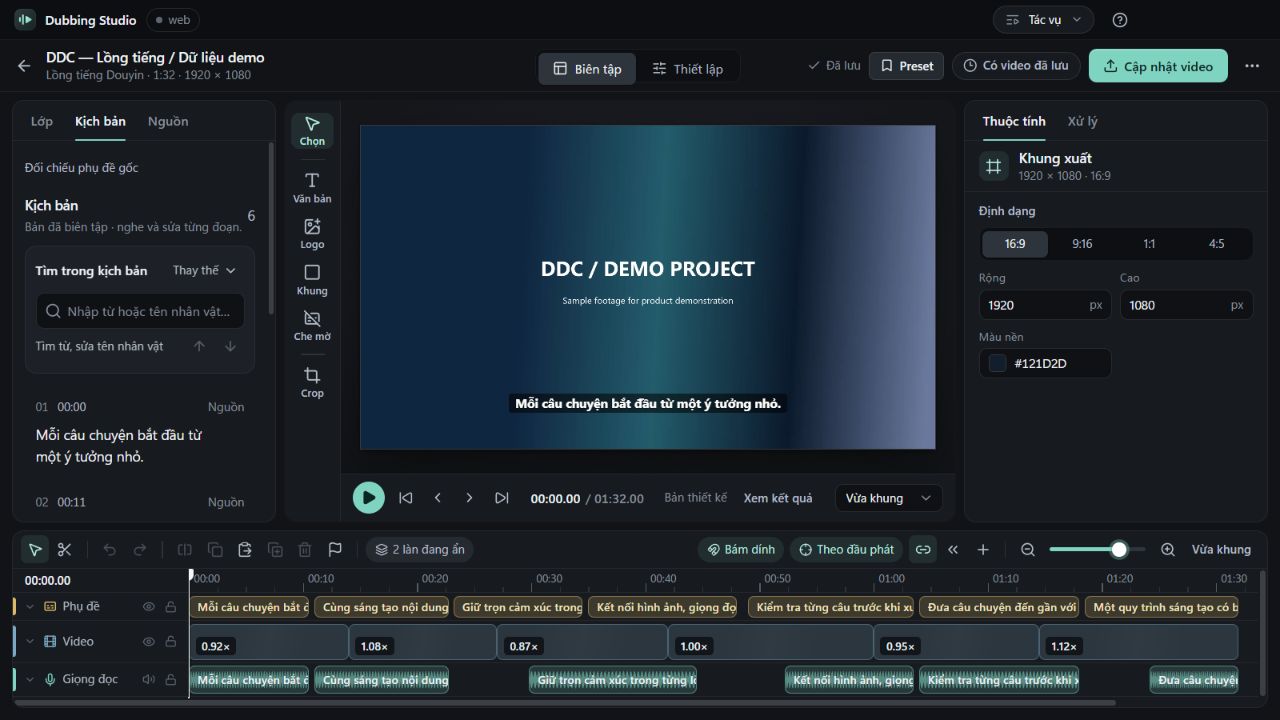 APPLICATION SCREENSHOT
A desktop production studio for narration and dubbing workflows. Prepare the script, work with voice providers, edit the video composition and review the output in one project.
Explore the product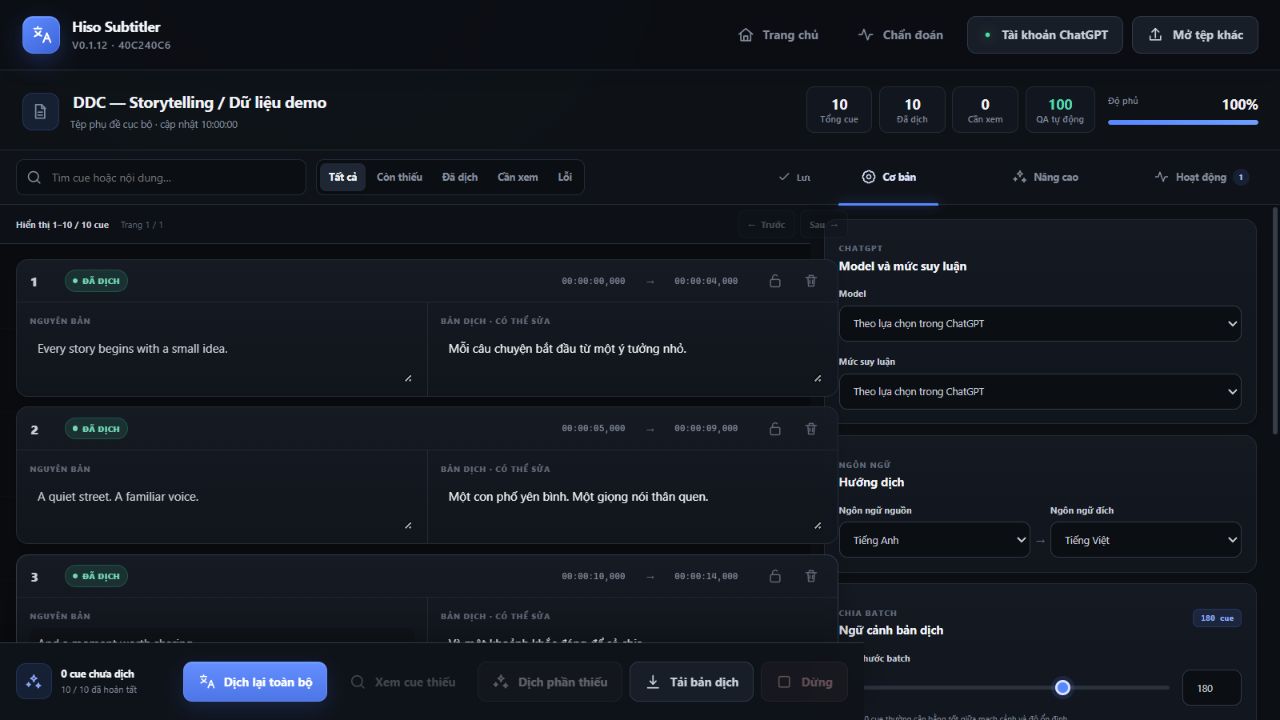 APPLICATION SCREENSHOT
A desktop workspace for SRT translation and cue-level review. Supply story context, character guidance and terminology, then work through the translated subtitles before export.
Explore the productInspect recorded examples, play a rendered video and download sample files to understand each workflow.
Actual output from the product’s Local Draft planner.
Inspect the plan ↗DUBBING STUDIOA short video exported by the product’s render module.
Watch the output ↗HISO SUBTITLERSaved translation results exported with the product’s SRT formatter.
Compare the subtitles ↗AI Movie Studio brings contextual agents into the script, storyboard and voice workflows. Review a draft, refine the direction, then decide what becomes part of the project.
Screenplay structure, story intent and dialogue.
Scenes, shot briefs and visual continuity.
Direction for dialogue and narration.
These are captures of the real product interfaces with demonstration data. Open an image to inspect the details.
We build focused tools around the everyday work of creating video: developing an idea, preparing the voice and carrying the meaning into another language.
Our products support different parts of that process. Each has its own workspace and setup, with demo access arranged directly with our team.
About DDC Media ↗Tell us about your workflow. We’ll discuss the relevant product, demo access and setup.